Horizontal and wide VALORANT crosshair codes
Try 17 wide crosshairs with longer horizontal arms and shorter vertical arms, without changing your screen resolution.
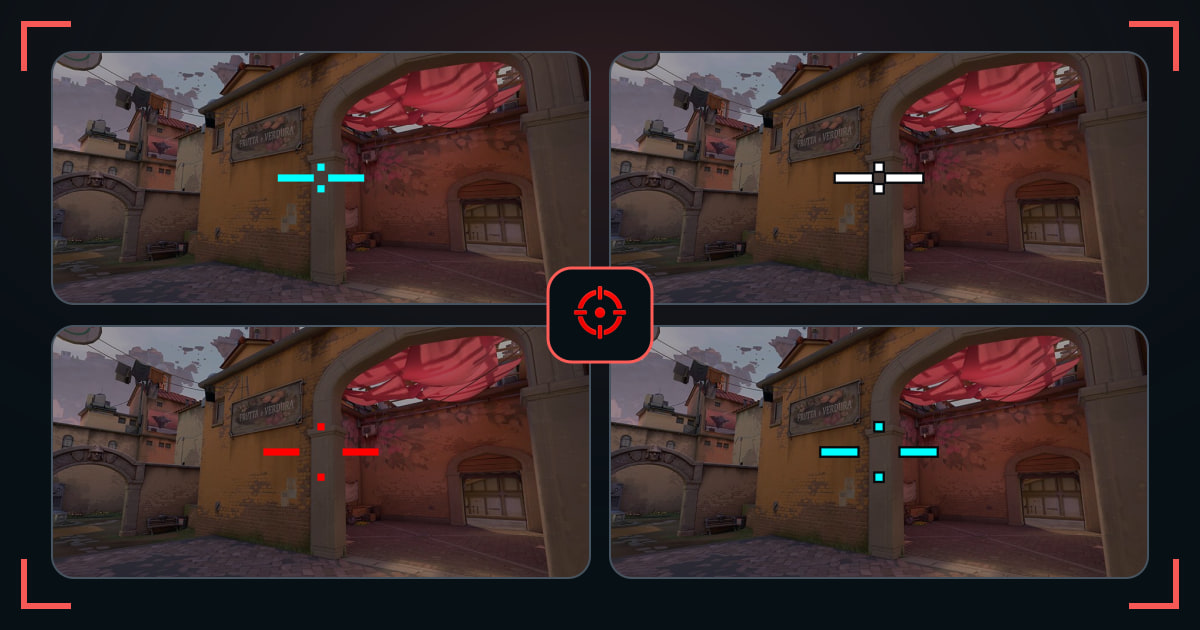
These are wide crosses, not necessarily a single horizontal line. They keep a short vertical reference so the center remains easier to judge. The extra width can make head-height alignment feel clearer, but it can also cover more of a sideways peek.
A wide crosshair code changes line geometry. Stretched display scaling is a separate setting and is not included in the code. Compare a wide shape against your usual plus on one scene, then test actual peeks in the range.
What makes this set different
All 17 profiles come from the Wide Axis family. Each uses longer horizontal than vertical inner lines, with different lengths, thicknesses and gaps. No resolution tweak is required.
Before you import
- Keep your normal display settings while comparing.
- In the game, unlink horizontal and vertical line length before editing the arms separately.
- Shorten horizontal arms if they hide the edge of a target or doorway.
Common questions
Can I use a horizontal crosshair without stretched resolution?
Yes. Horizontal and vertical line lengths can be set independently. The code changes the crosshair rather than the display.
Are all these crosshairs just one line?
No. These are wider-than-tall crosses. Their short vertical arms retain a second alignment reference.