VALORANT crosshair codes with outlines
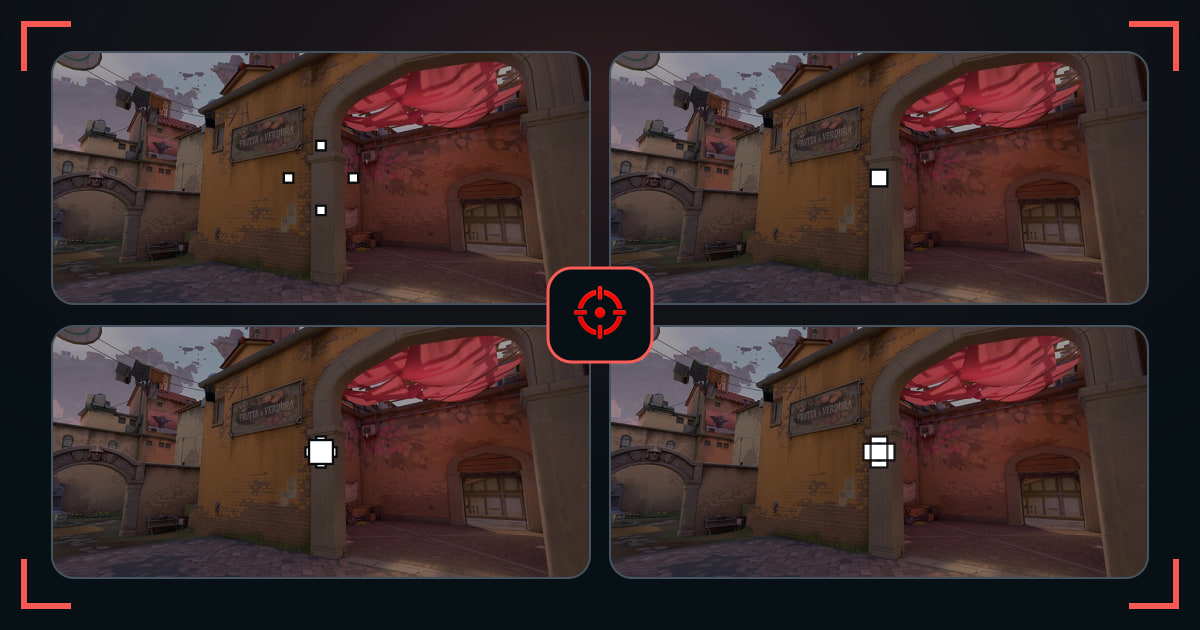
Compare outlined dots and crosses when the center keeps disappearing into bright or low-contrast scenery.
f0rsakeNDemon1ScreaM DotLessBoasterJingggMicro Gap ApexMicro Gap EchoMicro Gap IonMicro Gap KiteMicro Gap MintTap Dot DriftTap Dot FluxTap Dot IonTap Dot KiteTap Dot MintCompact Cross BoltCompact Cross DriftCompact Cross FluxCompact Cross IonCompact Cross KiteCompact Cross MintOpen Cross BoltOpen Cross Echo
Outlines place a dark edge around active crosshair elements. They can rescue white, cyan, and micro shapes on bright walls, but also make every line look heavier.
This grid includes several base shapes so you can judge the outline rather than assuming one pro code represents the whole setting.
How these crosshairs were selected
Every code has outlines enabled and renders a visible edge at normal scale. We included dots, thin lines, compact crosses, and open centers.
What to check before you copy
- Begin with outline thickness 1.
- Reduce line thickness if the combined shape looks bulky.
- Compare the same scene with an unoutlined code.
Common questions
Should outlines be on in VALORANT?
Turn them on when your crosshair disappears against bright surfaces; otherwise they are optional.
Do outlines change weapon accuracy?
No. They only change the visual edge around the crosshair.