VALORANT center-dot crosshair codes
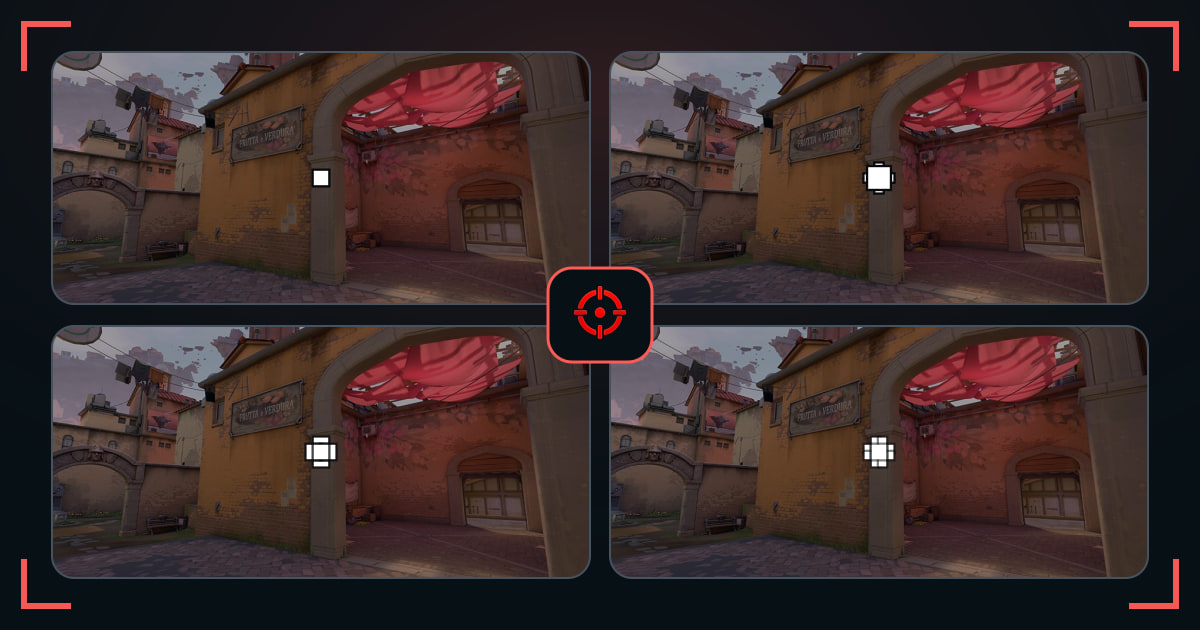
Try pure dots and dot-supported crosses that give your first bullet one clear center reference.
Demon1ScreaM DotLessPixelNeedleTap Dot ApexTap Dot BoltTap Dot DriftTap Dot EchoTap Dot FluxTap Dot GhostTap Dot IonTap Dot JoltTap Dot KiteTap Dot LynxTap Dot MintTap Dot NovaPinpoint ApexPinpoint BoltPinpoint DriftPinpoint EchoPinpoint FluxPinpoint GhostPinpoint Ion
A center dot marks the exact middle even when inner or outer lines are also enabled. Pure dots keep the screen clean; supported dots give your eyes more shape to recover.
Compare dot size, outline, and supporting lines separately. A larger dot is not automatically worse if it keeps you from losing the center.
How these crosshairs were selected
Every selected profile has the center-dot setting enabled. The grid mixes pure dots, short inner-line support, and outer markers.
What to check before you copy
- Start with full dot opacity.
- Turn supporting lines off only after the dot stays visible.
- Check how much the dot covers at long range.
Common questions
What does center dot do in VALORANT?
It places a mark at the exact center of the crosshair and can be used alone or with lines.
Can I use a center dot with inner lines?
Yes. Short lines can make a small dot easier to find without changing its exact center.