VALORANT circle crosshair codes
Browse working ring, halo, and bullseye-style codes you can preview and copy immediately.
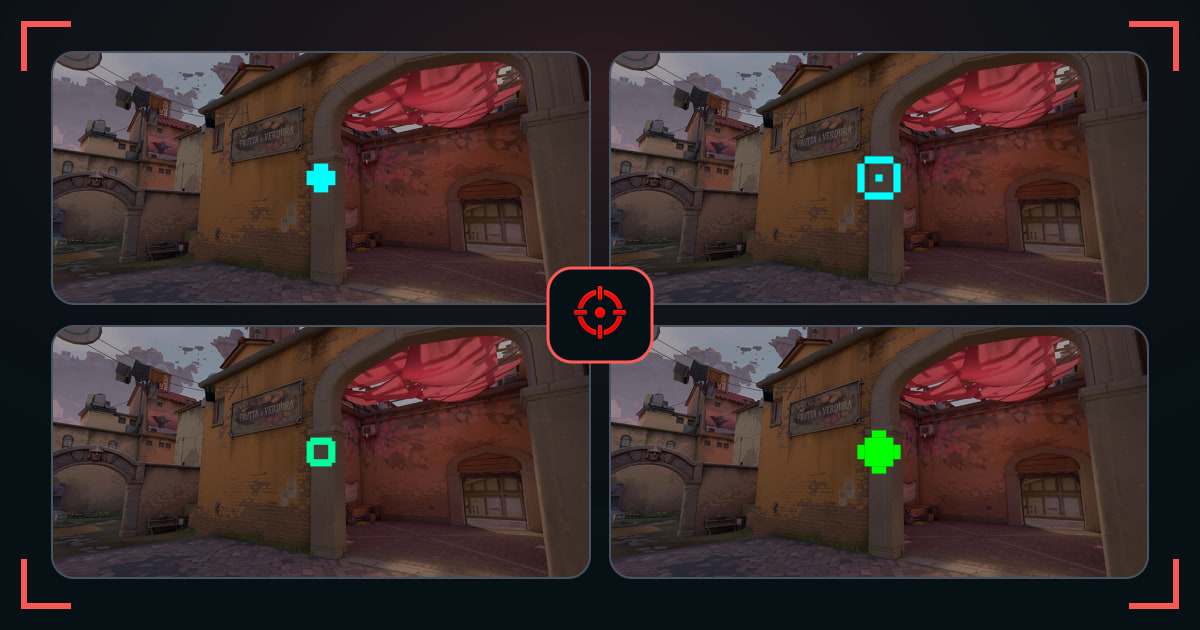
This page is for choosing a ready-made circle crosshair code. Each option frames the exact center instead of filling it, so a small hollow center can keep a distant head visible while giving your eyes more shape to follow than a single pixel.
Preview the different ring sizes on the same wall, then copy the one that stays recognizable at normal scale. If you want to build or edit the shape yourself, use the linked circle settings guide.
How these circle crosshairs were selected
Every item renders a visible round or ring-like center from a working AimCodes profile code. We excluded square frames and shapes that only look circular at an oversized preview scale.
Circle crosshair starting settings
- Use a small center dot only when the ring feels empty.
- Keep the ring compact enough to leave the head visible.
- Try cyan or green before adding a thicker outline.
Common questions
Is a circle crosshair accurate?
The shape does not change weapon accuracy. It can make centering easier if the ring stays small enough for your target.
How do I make a circle crosshair?
Use short inner and outer lines with a closed offset, then check the result in the preview instead of relying on numbers alone.